Mike Merlino's Fleet
Herdr Fleet
Agent workspaces that never die. SSH in, start Claude, walk away, come back. 5 machines, zero lost sessions.
What is Herdr?
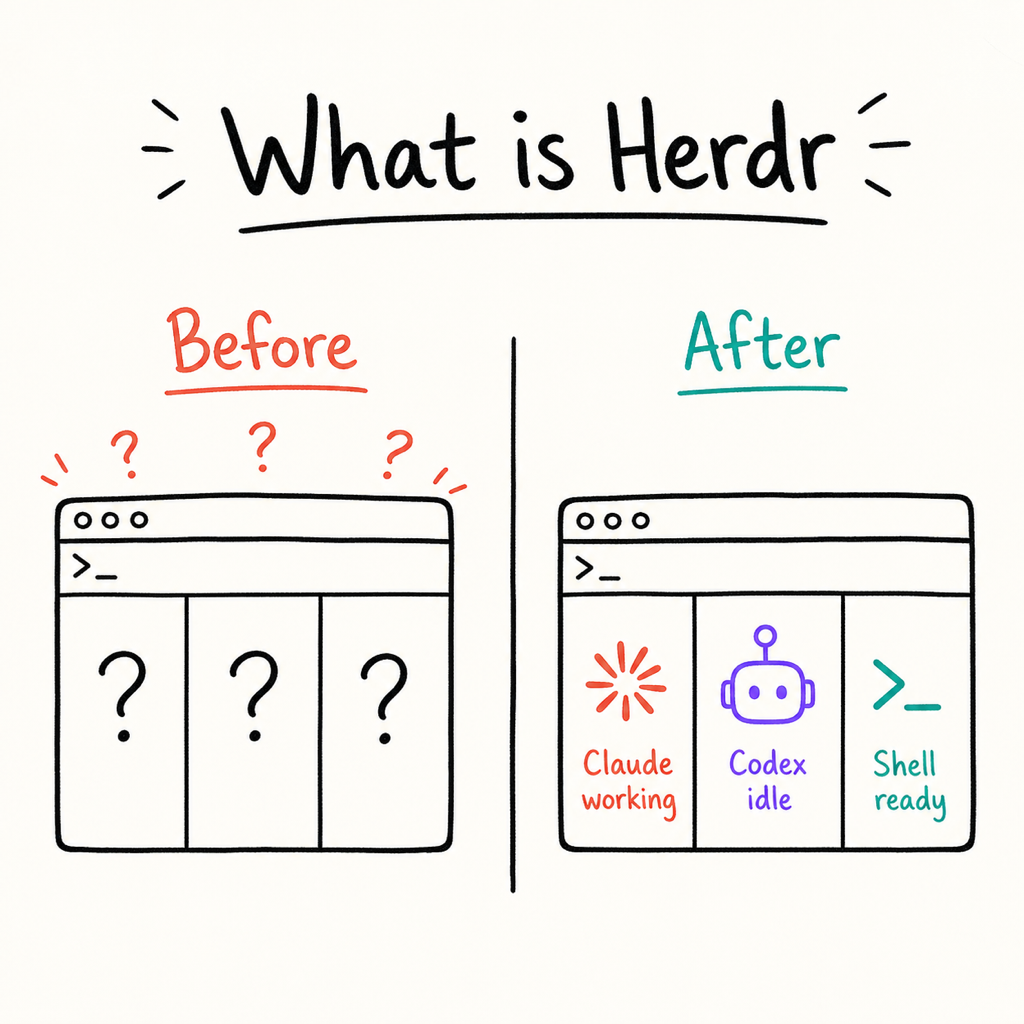
Herdr is an agent-aware tmux replacement. Where plain tmux just keeps panes open, Herdr knows which ones are running Claude or Codex, which ones finished, and which ones went idle. It surfaces that signal so you never have to guess what your agents are doing across 5 machines.
- Tracks Claude and Codex session state: working, idle, done.
- Sound alerts when an agent finishes so you can walk away.
- Sessions survive SSH disconnects. Close the laptop, come back, still there.
- Same muscle memory as tmux. Herdr just adds the intelligence on top.
The Fleet
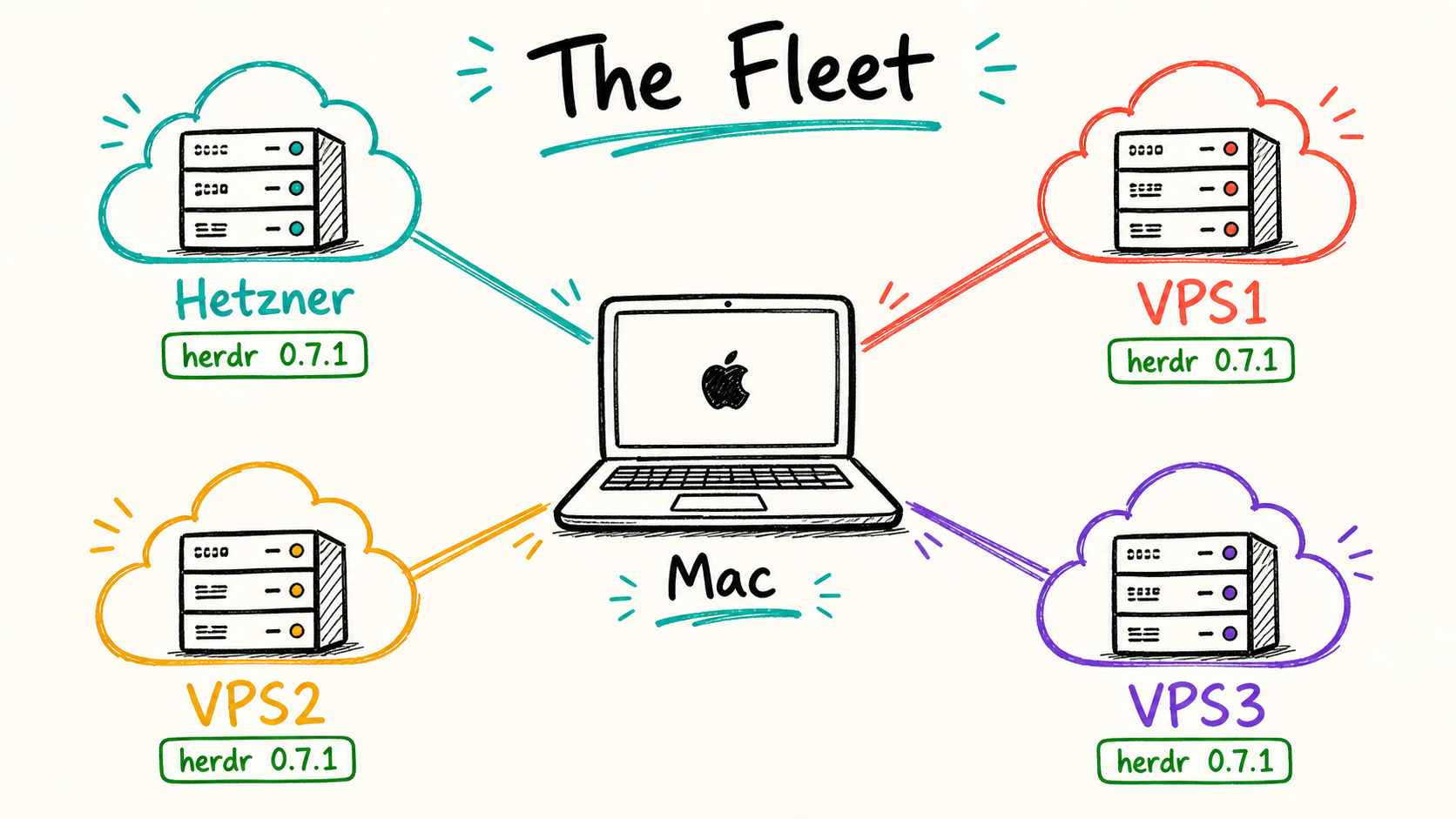
Herdr runs on 4 of the 5 machines in the fleet. Every SSH login auto-launches herdr on the Linux boxes via systemd or launchd. Windows hosts are not covered because Mike does not run agent workspaces there.
- Mac Studio (local) - launchd auto-start on login.
- Hetzner aka eco/brain - systemd user service, the BIG SERVER.
- VPS1, VPS2, VPS3 - systemd user service on each.
- Windows hosts (pc, server, big, small) - no herdr, not applicable.
Daily Workflow
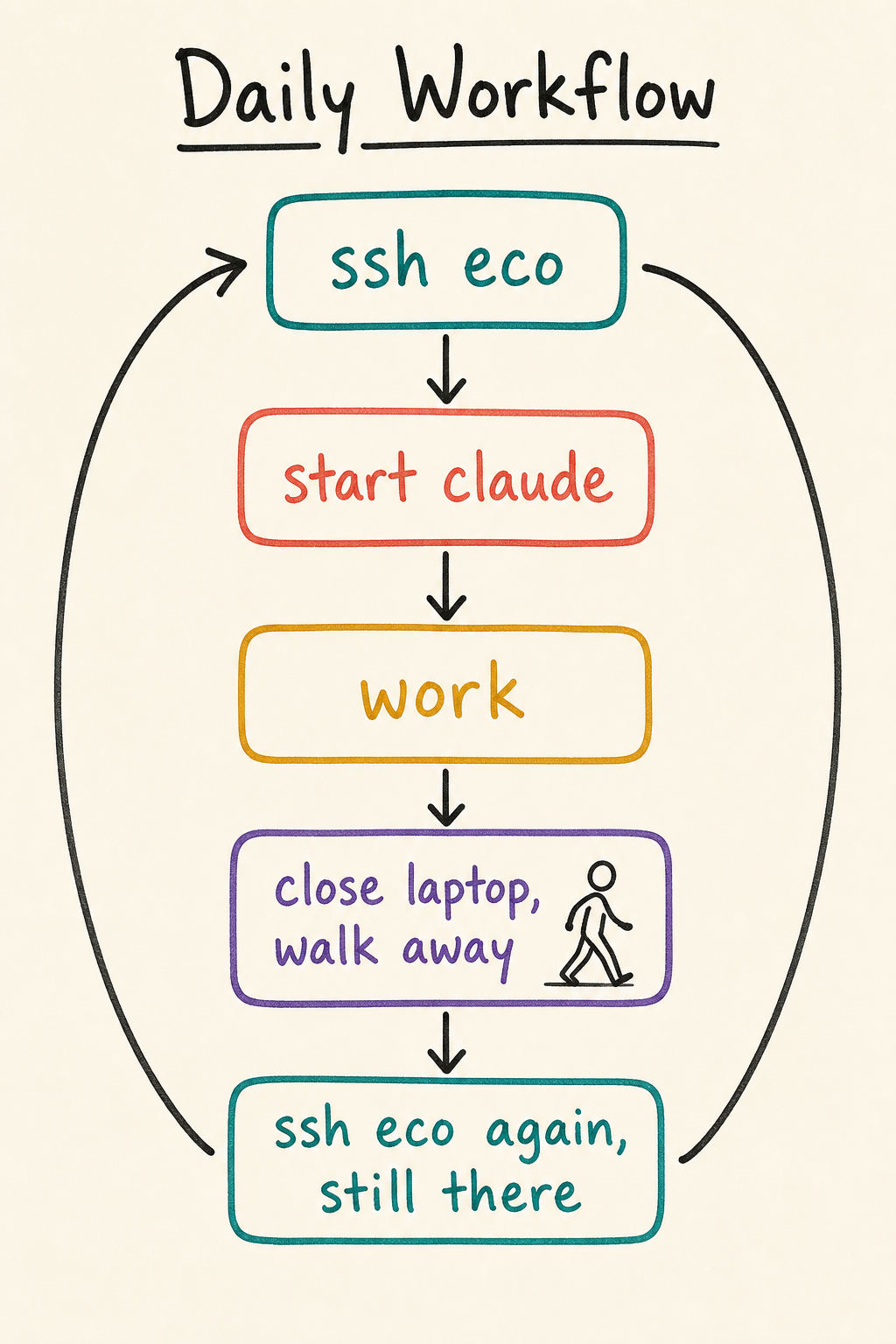
The workflow is dead simple: SSH in, herdr auto-launches, start your agents, walk away. When you come back, SSH in again and reattach. The sessions never died. This is the core promise: your agent workspaces persist across disconnects, reboots, and dinner breaks.
- ssh eco - herdr auto-launches on login via systemd.
- Start Claude or Codex in a pane. Herdr tracks the session.
- Walk away. Close the laptop. Do not worry.
- SSH eco again later. Reattach. Everything is exactly where you left it.
Remote Attach
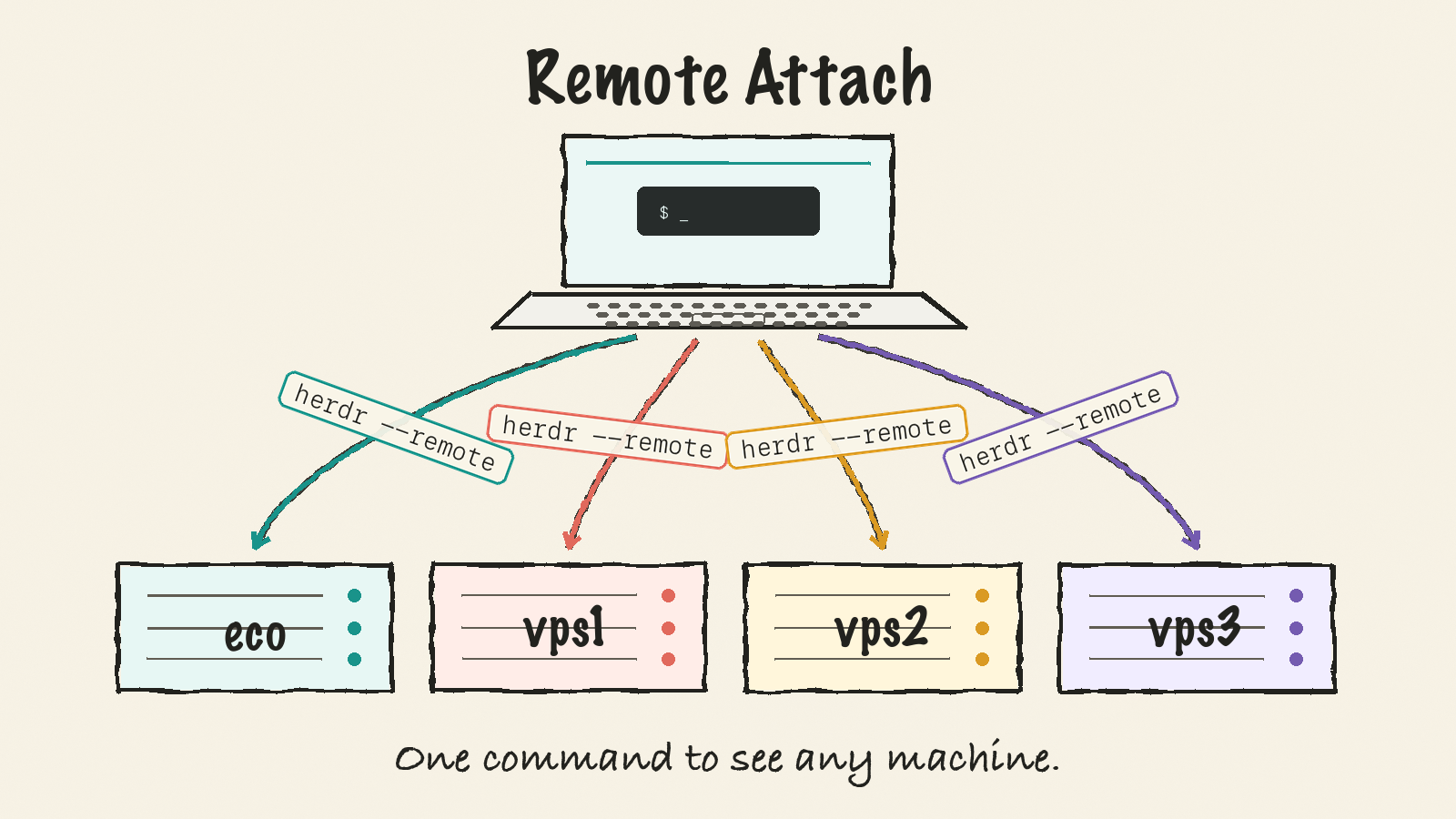
Remote attach lets you monitor any machine's agent workspaces from anywhere with a single command. Run herdr --remote eco from your Mac and you see the Hetzner sessions without opening a separate SSH connection. One unified view across the whole fleet.
- herdr --remote eco - see Hetzner from Mac without separate SSH.
- herdr --remote vps1 - see VPS1 from anywhere in the fleet.
- Cross-machine agent monitoring from one terminal window.
- Agent status panel shows which sessions are working, idle, or done.
Key Bindings
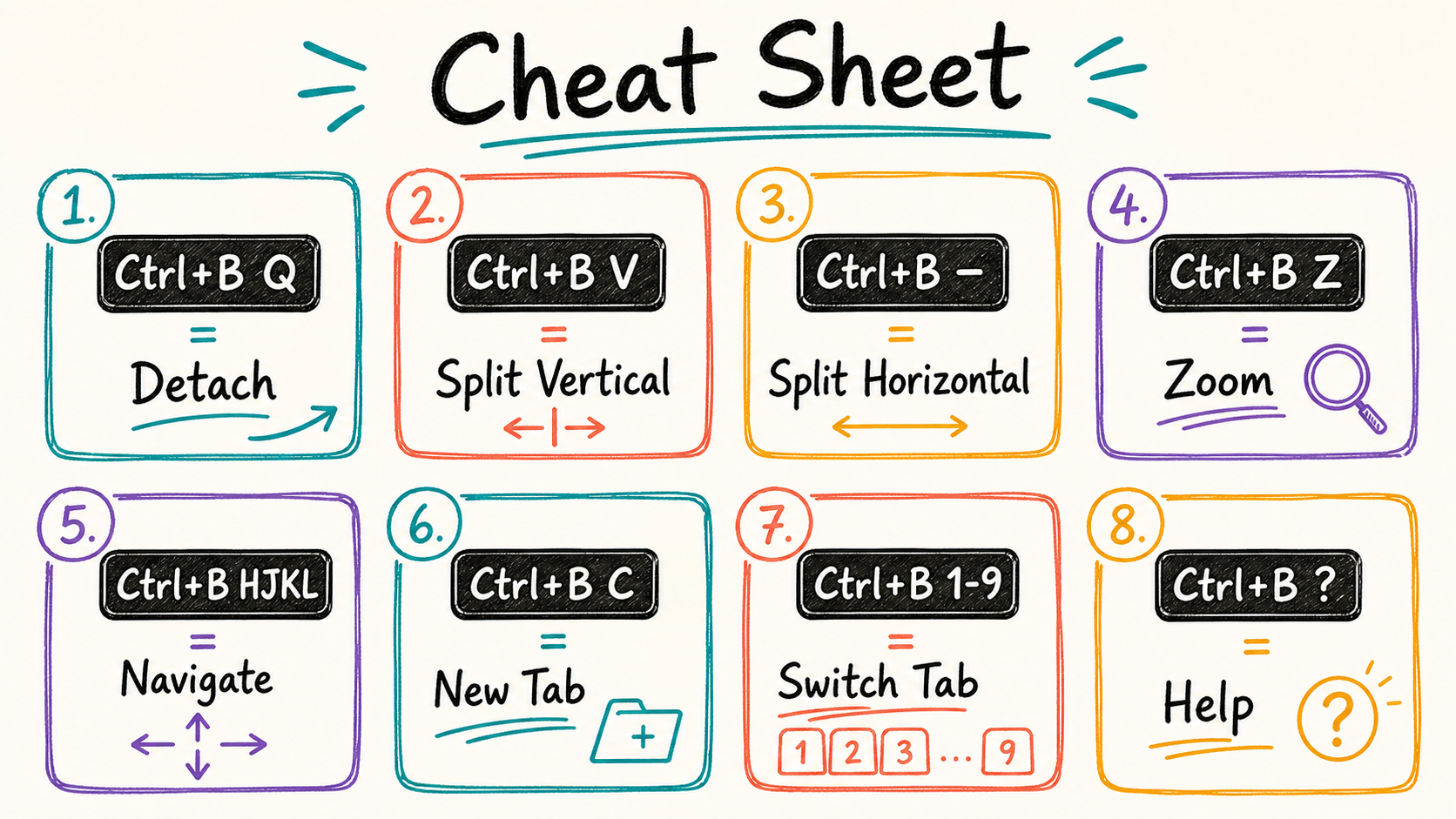
Herdr uses the same prefix as tmux (Ctrl+B) so your existing muscle memory carries over. The only new layer is the agent panel overlay. Everything else is standard tmux navigation. Print this out, stick it on the monitor, forget it exists within a week.
- Ctrl+B, Q - detach from the current session.
- Ctrl+B, V - split pane vertically.
- Ctrl+B, - (dash) - split pane horizontally.
- Ctrl+B, H/J/K/L - navigate between panes (vim-style).
- Ctrl+B, Z - zoom the current pane to full screen (toggle).
- Ctrl+B, ? - show all keybindings help.
Troubleshooting
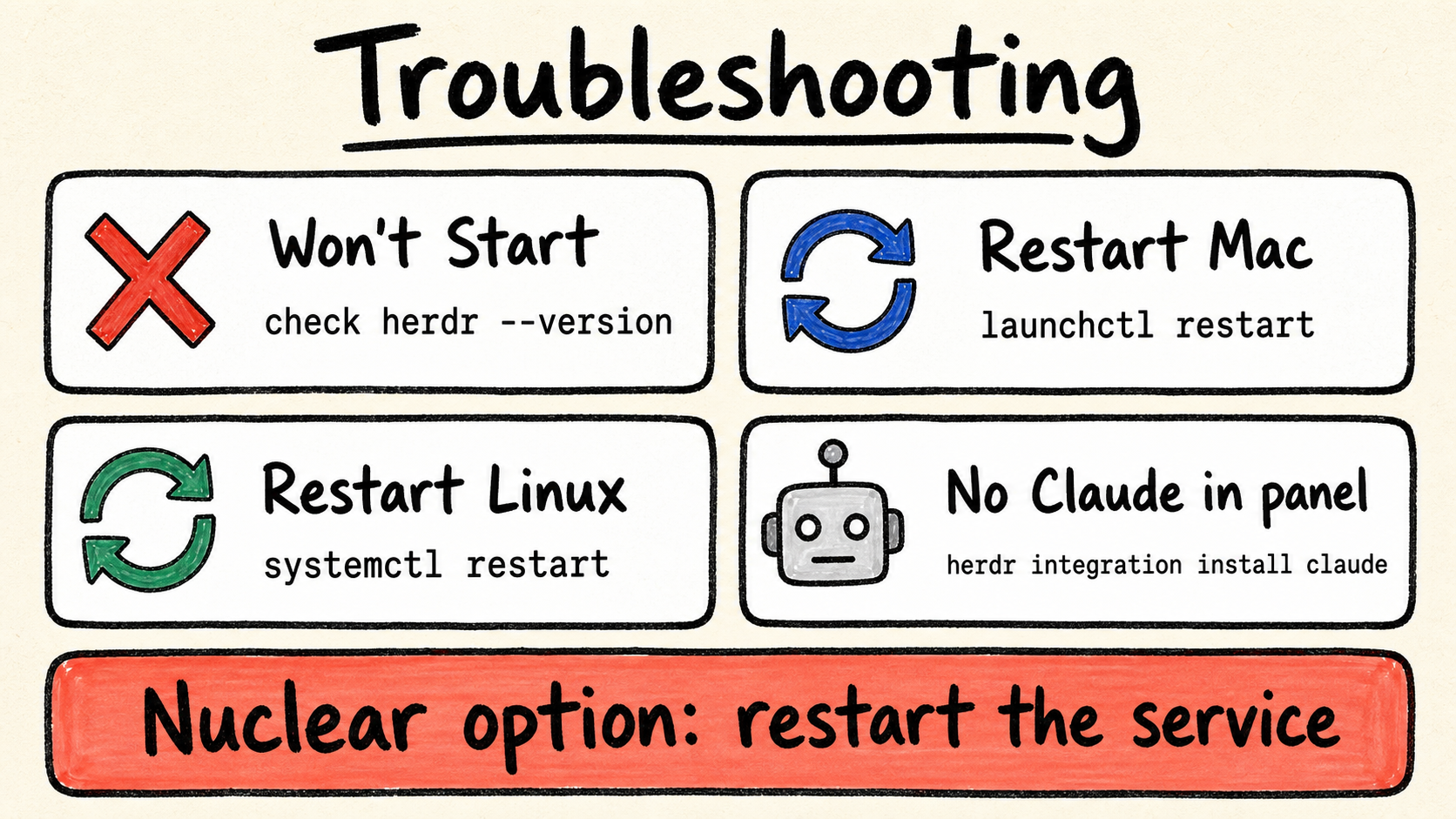
Most herdr issues fall into three buckets: it did not start, a service needs a restart, or Claude is not showing in the agent panel. Each has a single-command fix. If all else fails, restart the service and wait 5 seconds.
- Herdr not starting: run herdr --version to confirm it is installed in ~/.local/bin/.
- Service restart on Mac: launchctl kickstart -k gui/$(id -u)/com.herdr.agent
- Service restart on Linux: systemctl --user restart herdr
- Claude not in agent panel: run herdr integration install claude to re-register.